< Previous | Contents | Next >
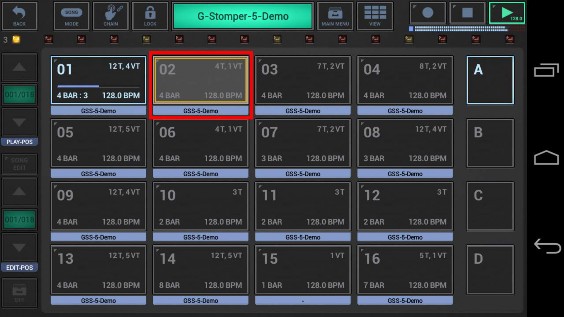
The Live Pattern Arranger is used to switch between the different Patterns while the Sequencer is running. A switch from one Pattern to another one is called a “Pattern Change”.
A Pattern Change occurs when you…
• tap one of the Pattern Slots
• load a Pattern or a Pattern Set from your storage
• copy a Pattern from one Pattern Slot to another one
• swap a Pattern Slot with another one
• manually change the Song playback position in Song mode
Every Pattern Change will always be Beat-Safe, which means the pattern change will be executed at the end of the currently playing pattern, and you’ll never run into abrupt beat changes.
(see next Chapter: Beat-Safe Pattern Changes)
 Get this Doc as PDF