< Previous | Contents
Show up the ‘Main Menu’.

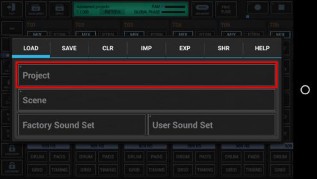
Then select the ‘Load’ tab and long press ‘Project’ to show up the System Files Picker.
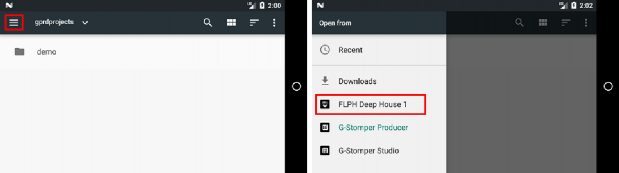
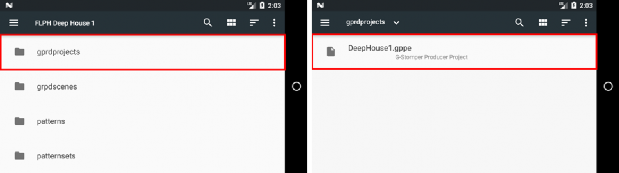
Once the System Files Picker shows up, press the “Menu” button (the three horizontal lines) in the upper left corner (or likewise swipe from left to right), and then select the pack from the menu. Inside the pack content, navigate to the Projects and select the one you want to import.
< Previous | Contents
 Get this Doc as PDF
This Website or its third party tools use cookies, which are required by our content management system and our support forum for their proper and safe operation. By closing this banner, scrolling this page, clicking a link or continuing to browse otherwise, you agree to the use of cookies in accordance with our Privacy Policy.OkReview our Privacy Policy