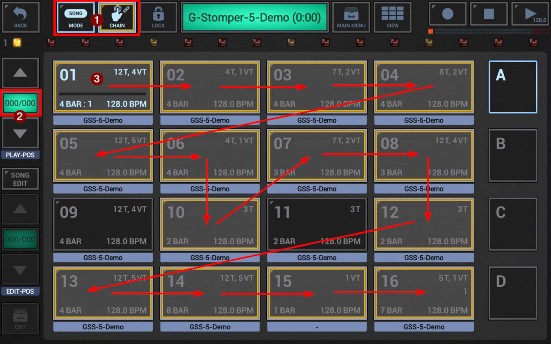
By combining chain and song mode, you can tap in entire song arrangements as a chain while the sequencer is stopped, and then record the chain as a song arrangement.
1. Enable song mode and chain mode
2. Ensure that no song arrangement exists already
3. Tap in your arrangement as a chain
4. Press Record and Play to start the song recording. This will record your chain as a song arrangement.
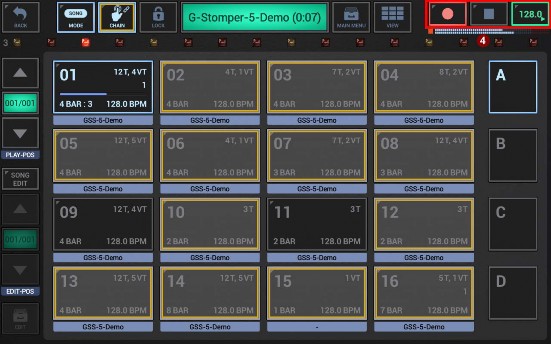
5. Press Stop to stop the recording
6. In the song position display you can verify the number of pattern changes you’ve recorded.
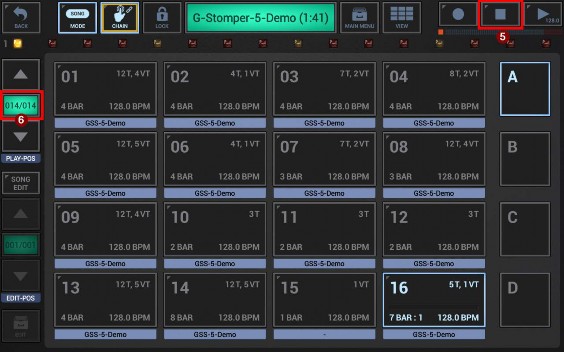
Now you can save your pattern set, which will include the recorded song arrangement.
 Get this Doc as PDF